Table of contents
This 555VU APK download guide shows how to install the official 555VU app on Android and iPhone, what Quick App and Speed App mean, how to update safely and how to fix the install problems players meet most often.
Where the 555VU APK Download Comes From
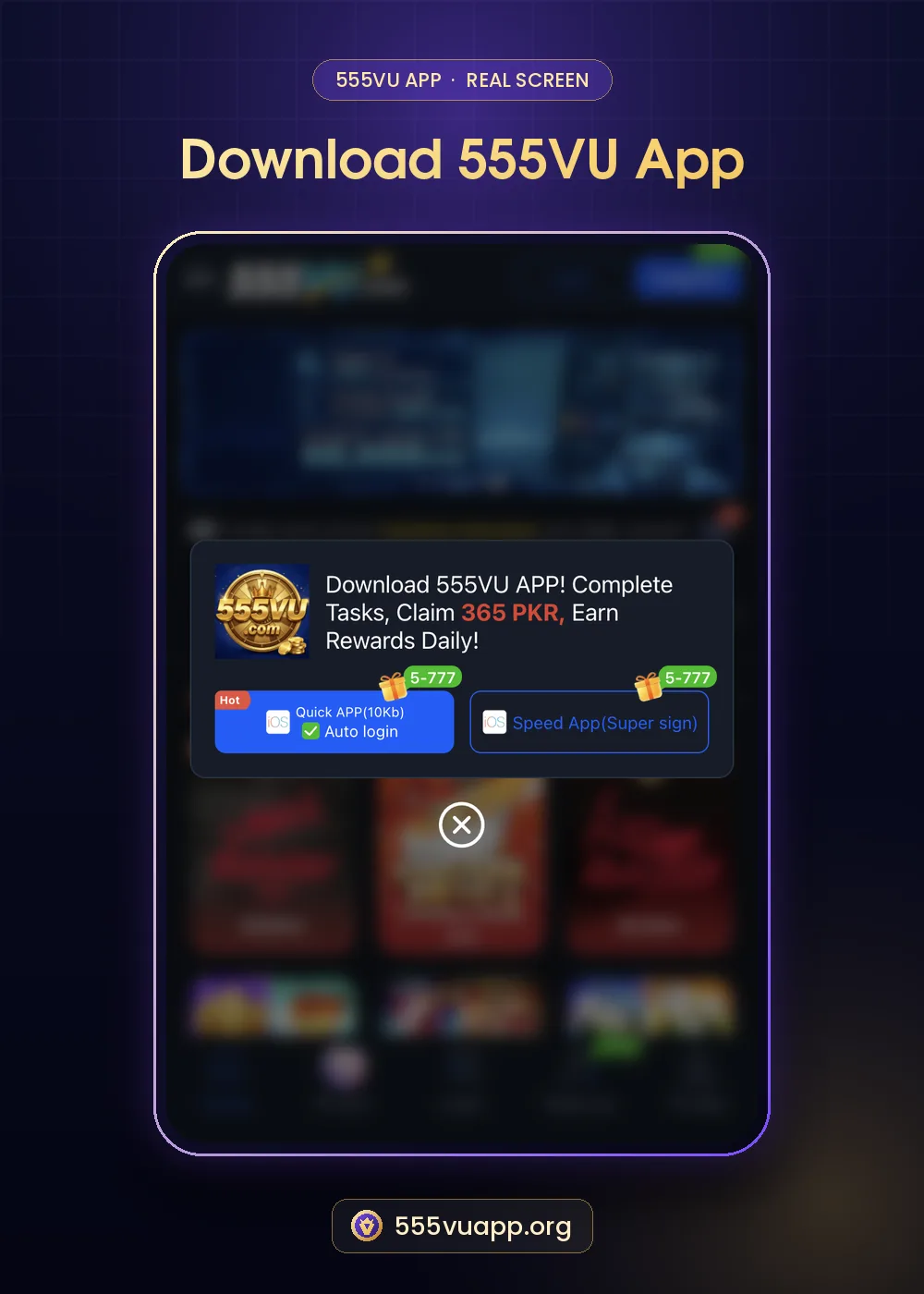
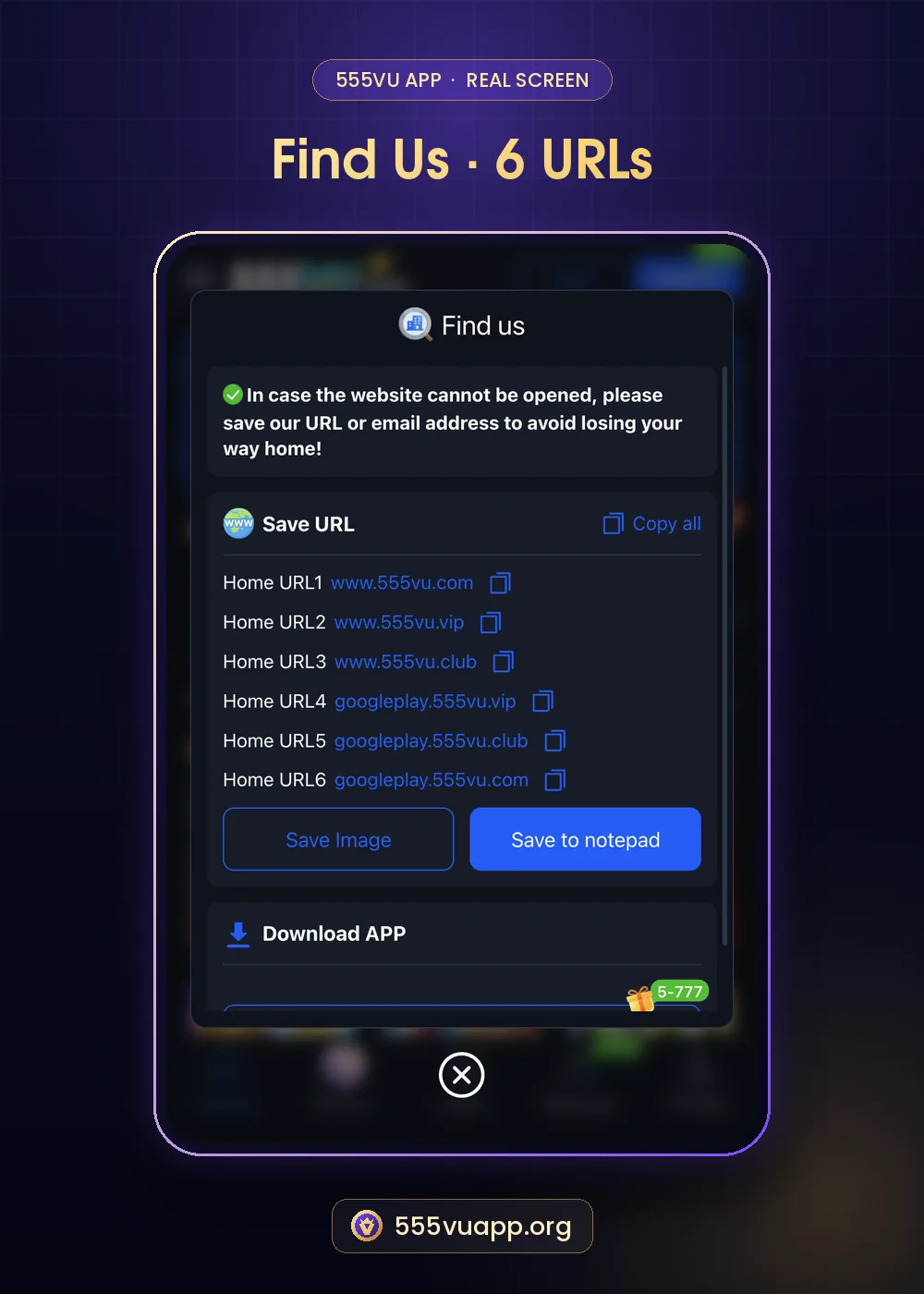
555VU is not listed on Google Play. The official download lives inside the 555VU website: in the popup that says “Download 555VU APP! Complete Tasks, Claim 365 PKR, Earn Rewards Daily!”, and at the bottom of the Find us window under Download APP. An APK forwarded on WhatsApp or posted in a group is not the official file and may be modified to steal logins.
| Option | Label | Notes |
|---|---|---|
| Quick App | Hot · Quick APP (10Kb) · Auto login · 5-777 | Very small; logs you in automatically |
| Speed App | Speed App (Super sign) · 5-777 | Signed install; also suits many iPhones |
555VU APK Download on Android
- Open the official 555VU link in Chrome.
- Wait for the download popup or open Profile → Find us → Download APP.
- Tap Quick App or Speed App.
- If Android asks, allow Chrome to install unknown apps for this install only.
- Tap Install, then Open, and register or log in.
- Turn the install permission off again in Settings.
The warning appears for every app installed outside the Play Store. Google explains how Play Protect scans apps on its Play Protect help page. The real safety check is where the file came from.
555VU APK Download on iPhone
- Open an official 555VU address in Safari.
- Choose Speed App (Super sign) and confirm.
- If iOS asks you to trust a developer, open Settings → General → VPN & Device Management and trust the profile.
- Open the app from your home screen.
If no iPhone option works, use the 555VU website in Safari and add it to your home screen with the Share button.
Quick App or Speed App?
Quick App is the lighter choice: about 10Kb and set to log you in automatically. Speed App is a signed app that behaves more like a normal install. Both open the same account, so your balance follows you. Our Quick App vs Speed App comparison goes deeper.
Fixing 555VU APK Download Problems
| Problem | What to try |
|---|---|
| Download does not start | Open the link in Chrome or Safari, not in a chat app browser. |
| “App not installed” | Free storage, remove an older 555VU version and try again. |
| Site will not open | Try another address from the Find us list. |
| iPhone app will not open | Trust the profile in VPN & Device Management. |
Updating the 555VU App
When a new version is released the app usually prompts you. If not, download again from the same official place and install over the old version. Your balance is stored on your account, not on the phone.
After the 555VU APK Download
Register with our 555VU register guide, save the six official addresses and read the new-user reminder carefully before depositing.
Is the 555VU APK Download Safe?
The real risk with any sideloaded app is a modified copy. Avoid it with three habits: start from an official address, never install a file someone forwards to you, and check the app name and icon after installing. If the app asks for permissions that make no sense for a game, such as reading your SMS or contacts, refuse them.
Freeing Space Before Installing
- Delete old APK files from Downloads.
- Clear cache of large apps in Settings → Apps.
- Move photos and videos to cloud storage.
On budget Android phones most failed installs come from low storage rather than the file itself. The Quick App’s small size helps here.
Keeping the App Up to Date
Updates fix bugs and security issues. Accept update prompts from inside the app, and if you ever reinstall, use the official page again rather than a saved file.
555VU APK Download FAQ
Is the 555VU APK on Google Play?
No. It is installed from the official 555VU website.
Is the 555VU APK download free?
Yes. Downloading and registering cost nothing.
What does the 5-777 tag mean?
It points to a reward for downloading the app. Check the exact task and its conditions in the app.